Updated August 31, 2026 · Physical SKYJO companion apps
Best SKYJO Score Apps for iPhone & Android (2026): Free Scorekeepers Compared
The right SKYJO score app should do more than add numbers. It must accept negative cards, remember who ended the round, handle the positive-score penalty correctly, and let you repair a bad tap without rebuilding the game. We compared current iPhone, iPad, and Android options by those table-night jobs—not by app-store stars alone.
The best SKYJO score apps at a glance
If you want one quick answer, iPhone users have the strongest dedicated choices. Skyjo Score by Ryan Sagan is the best feature-rich iOS pick: its current App Store listing describes a guided 2–8-player workflow, automatic round-ender doubling, negative-score entry, history, custom targets, iCloud sync, and player statistics. It cost $2.99 when checked on August 31, 2026. If paying before trying is a deal-breaker, Scorekeeper for Skyjo is the cleaner value choice because its listing promises a genuinely free, ad-free scorekeeper with no account or in-app purchase.
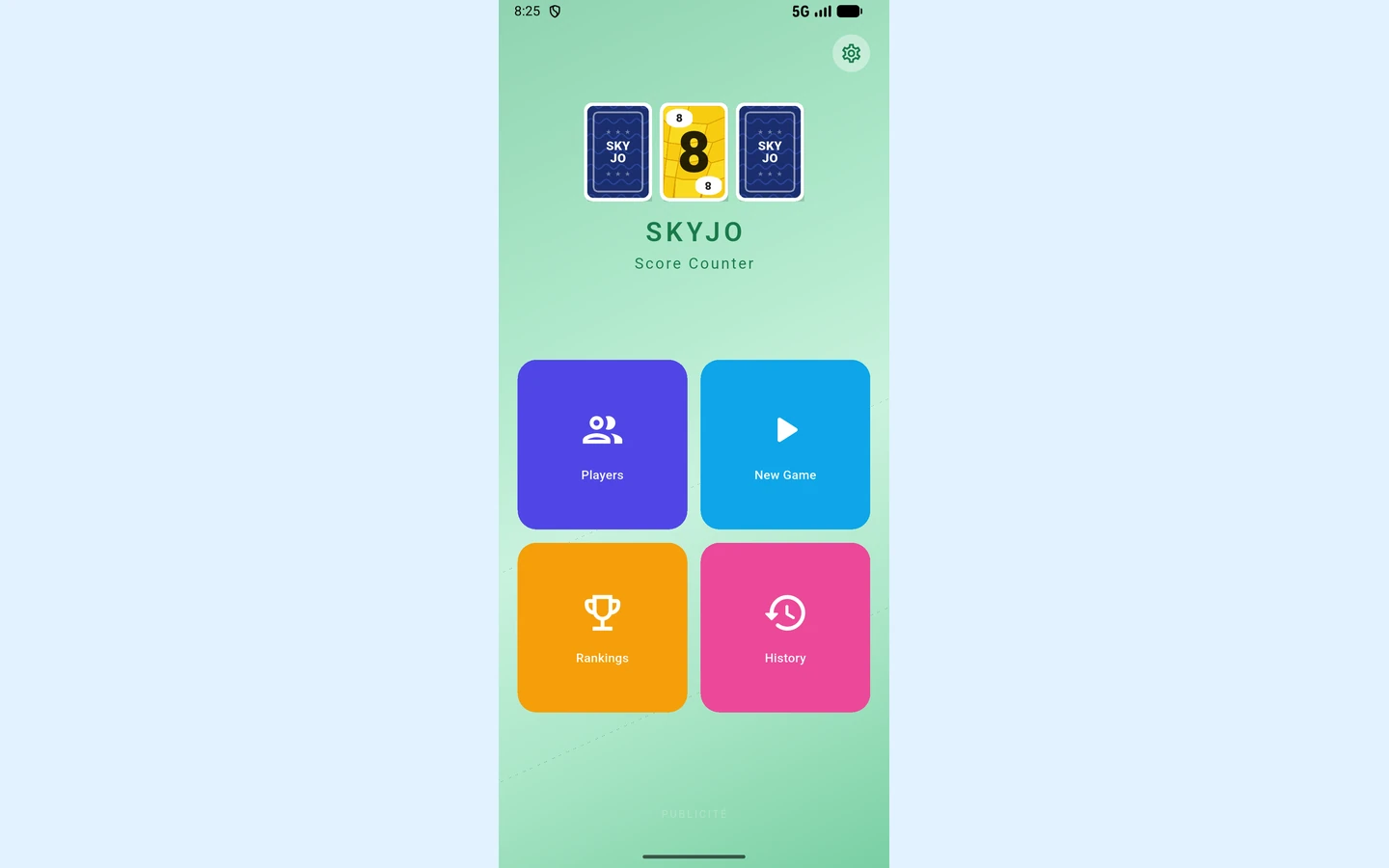
On Android, Skyjo Score by Steph D is the safer first download for players who value an established, simple tool. Google Play displayed more than 50,000 downloads and lists multiple saved games, editable games, voice readout, and an adjustable score ceiling. Players who want profiles, records, and rankings may prefer the newer Skyjo: Score Counter & Stats by UNISHOP, although its Play data-safety panel deserves a look before installation.
| App | Platform | Cost snapshot | Best for | Watch for |
|---|---|---|---|---|
| Skyjo Score — Ryan Sagan | iPhone, iPad | $2.99 | Rule automation and long-term stats | Needs iOS 17.6+; tiny rating sample |
| Scorekeeper for Skyjo | iPhone, iPad | Free; no ads/IAP advertised | A minimal, no-cost dedicated tool | Fewer competitive extras |
| Skyjo – Score Keeper | iPhone | Free tier; $6.99 lifetime | Trying before a one-time upgrade | One free game daily; needs iOS 18+ |
| Skyjo Score — Steph D | Android | Check Google Play locally | Simple entry with an established install base | Last listed update: August 2025 |
| Skyjo: Score Counter & Stats | Android | Check Google Play locally | Fast numpad entry and richer records | Device IDs disclosed in data-safety panel |
Our practical verdict
Choose for your table, not for the biggest star number. Two five-star ratings tell you less than a clearly described undo button, correct finisher handling, and an input screen everyone can verify. Store prices, availability, compatibility, and privacy labels can change by country, so confirm the listing on the device that will sit beside the cards. For a broader distinction between scorekeepers and apps that actually simulate play, see our SKYJO mobile app guide.
How I compared the apps for a real game night
A polished store page is not the same thing as a good table companion. I weighted the actions a scorekeeper repeats every round: adding players, entering positive, zero, and negative values, identifying who ended the round, showing any doubled score, and correcting a bad tap. Confetti and lifetime leaderboards are welcome extras, but they cannot rescue an app that quietly applies the wrong rule.
1. Rules and entry
Does the app accept 0 and negative totals? Can you mark the round-ending player? If it promises automatic doubling, does it expose the original and adjusted score so everyone can verify the arithmetic?
2. Recovery
An undo button, editable history, or round deletion matters because someone eventually says “that was 7, not 17.” Rebuilding five rounds is not an acceptable correction workflow.
3. Table visibility
The current round, running totals, and player order should remain readable when one phone serves up to eight people. Large tap targets and a screen-awake option prevent the scorekeeper from becoming the slowest part of the game.
4. Ownership
I checked platform requirements, price model, offline claims, account requirements, history persistence, sync, and store privacy declarations. Those labels describe the developer’s current disclosure; they are not a security audit.
The 60-second test round
Before trusting any app, enter four players: Alex ends on 9, Bea scores 7, Chen scores 0, and Drew scores -2. A Classic-aware app should accept every value and, if it automates the rule, turn Alex’s positive 9 into 18 because Alex did not finish with the strictly lowest round score. Next, deliberately enter Bea as 17 and correct it to 7. That single rehearsal tests negative input, zero input, finisher selection, the penalty, and recovery.
The baseline comes from Classic SKYJO: rounds accumulate until at least one player reaches 100 or more after a completed round, and the lowest total wins. Our complete SKYJO rules guide explains the full flow. This comparison does not give a generic scoreboard credit for SKYJO-specific logic it never claims, and it does not assume that support for Classic also covers Action or Junior.
Best SKYJO score apps for iPhone and iPad
Apple’s store has enough near-identical names to make careless downloading easy. Check the developer name as well as the icon. These recommendations use US App Store details checked on August 31, 2026; another country may show a different price, rating, or catalogue.
Best full-featured pick: Skyjo Score by Ryan Sagan
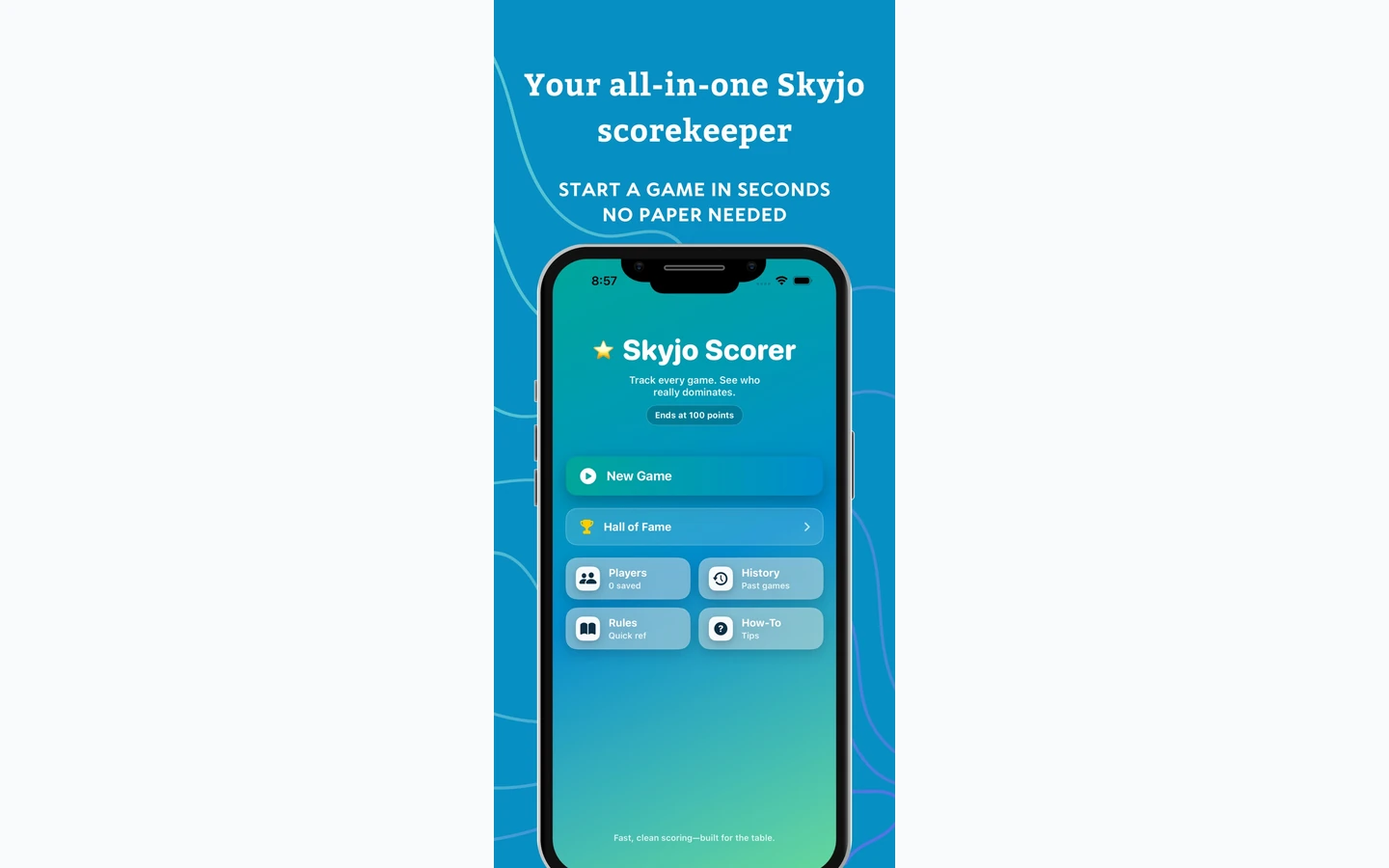
This is the iOS app I would choose for a regular group that wants more than a running total. The guided order—select the finisher, enter everyone’s scores, then complete the round—makes an important rule visible instead of burying it in settings. The listing also names negative-score entry, doubled-round markers, editable player order, a custom limit, full history, screen-awake control, portrait and landscape layouts, and iCloud syncing between iPhone and iPad. Its newer Hall of Fame, head-to-head “Nemesis” records, achievements, rematch, and share cards turn repeated sessions into a lightweight league.
The price was $2.99, with no in-app purchases shown. Apple’s privacy panel says the developer does not collect data. Those are attractive terms, but compatibility is the catch: it requires iOS or iPadOS 17.6 or later. Also ignore the seductive 5.0 headline—the displayed average came from only two ratings. The app leads this list because its workflow addresses actual Classic scoring, not because two people tapped five stars.
Best free pick: Scorekeeper for Skyjo
The listing makes an unusually clear offer: free forever, no advertisements, no in-app purchases, no account, no tracking, no collected data, and no internet requirement. It supports 2–8 players, live standings, automatic positive-score doubling for the round ender, one-round undo, and an automatic finish when someone reaches 100 points. Recent release notes also mention VoiceOver announcements after a round, undo, and victory. For a family sharing one device, that simple package is more useful than a crowded dashboard.
There is one rules caveat. The store description says ties are resolved by the last-round score, while the official Classic rules do not provide that as a universal tiebreak procedure. That may affect only the rare game-total tie, but the principle matters: an app’s automated choice can still be a house rule. If your final totals tie, agree whether to share the win or use the app’s resolution before recording the last round.
Best try-before-you-buy option: Skyjo – Score Keeper
Benjamin Bleriot’s app is the middle route. The free version allows one game per day with a target up to 100 points; a $6.99 lifetime purchase removes the game limit and unlocks all target scores. It advertises 2–8 players, automated totals and endings, round and winner history, rematches, dark mode, no account, offline operation, and no collected data. That is enough free access to test the interface at an actual table instead of buying from screenshots.
The limitation is not merely the daily game cap. It requires iOS 18 or later, so check every household device that might become the scorer. If you need iOS 15 support, Skyjo Score Tracker by Alexandre Morcos lists wider compatibility, but it also includes ads and a $7.99 VIP purchase; Apple’s privacy label says usage and advertising data may be used for tracking. That trade is difficult to recommend when cleaner options run on your phone.
Best SKYJO score apps for Android
Android’s choice is less tidy. One app has a much larger displayed install base, another has a fresher stats-focused design, and a newer contender explicitly offers card-by-card counting. None wins every category, so start with the job your group actually wants the phone to do.
Best established option: Skyjo Score by Steph D
Google Play displayed 50,000+ downloads when checked, far ahead of the other dedicated Android utilities in this shortlist. The feature set stays deliberately narrow: create multiple games, edit games already recorded, hear scores through speech synthesis, and change the maximum score. The developer’s data-safety declaration says no data is collected or shared. That combination makes it the sensible first stop for a household that wants a straightforward ledger rather than social features.
Its latest listed update was August 22, 2025, and the visible description does not clearly promise automatic finisher doubling. That does not prove the feature is absent; it means you should not assume it. Run the sample 9/7/0/-2 round, check whether the app expects you to enter 18 yourself, and make sure editing preserves the intended total. A scorekeeper can still be good when humans apply the rule, provided its responsibility is clear.
Best for stats and fast entry: Skyjo: Score Counter & Stats
UNISHOP’s app advertises round-by-round entry, an adjustable finish limit, history, records, rankings, statistics, and reusable player profiles. A June 2026 redesign added a central numeric keypad, a compact player grid, and a rematch route from the end screen. Those details matter in a six- or eight-player game: fewer screen changes mean less time passing one phone around, and profiles reduce repetitive setup for a weekly group.
The tradeoff is visible before installation. Google Play labels it as containing ads and in-app purchases, with 1,000+ downloads. Its developer-provided safety panel says device or other IDs may be collected and shared, although data is encrypted in transit. That is not evidence of misconduct; it is simply a different bargain from a local-only tracker. Players who want long-term statistics may accept it, while a family that only needs tonight’s totals probably has no reason to.
Promising card-by-card option: Skyjo Score by Studio Bamboo
This newer listing is interesting because it goes beyond asking for a hand total. An August 2026 update says you can enter each player’s cards and let the app calculate the result, while the main description claims automatic totals, double-scoring logic, history, resume, profiles, and rankings. Card taps can reduce mental addition—especially when a layout includes -2, -1, and several high cards—but they also create more taps and more opportunities to select the wrong value. Always review the computed subtotal before closing the round.
Google Play showed 500+ downloads and an ads label, so treat it as a promising newcomer rather than a proven default. Its developer declaration says no data is collected or shared. If explicit doubling and card-level input matter more than adoption, it deserves a trial; if you only want fast totals, Steph D remains easier to recommend.
Android download rule
Do not confuse a score app with a digital card-game clone. The apps above accompany physical Classic SKYJO. Before game night, confirm the developer name, read the current ads/IAP and data-safety labels, then test one doubled positive round and one correction. A missing feature claim means “verify,” not “broken.”
What “free” really means—and what to check before downloading
A free download button answers only the first price question. In this shortlist, “free” can mean a complete ad-free app, one game per day before a lifetime unlock, or unlimited use funded by ads and in-app purchases. For a group that plays three games on Friday night, those models feel completely different. Open the store’s in-app purchase panel and read the app description before making one phone the permanent record keeper.
The five checks that take less than a minute
- 1.Price path: Is every game free, is there a daily limit, or does payment only remove ads? A one-time purchase is not a subscription.
- 2.Device fit: Confirm the minimum iOS/Android version and whether the same purchase works on a tablet. Family members’ older phones can change the winner.
- 3.Offline behavior: If you play while travelling or in a weak-signal room, look for an explicit offline claim. Do not infer it from a small download size.
- 4.Account and recovery: No-account local storage is simple and private, but deleting the app may erase history. Sync is convenient, yet it moves data beyond one device. Decide which failure you would rather tolerate.
- 5.Ads and data: Read the ad label, privacy panel, and privacy policy. An advertising label and an in-app purchase label describe different things.
Apple explains that App Store privacy information is self-reported by the developer. Its labels distinguish data linked to you, data not linked to you, and data used to track you across other companies’ apps or sites. Google likewise requires developers to complete the Play Data safety form, including practices of third-party libraries, while making the developer responsible for an accurate declaration. Those panels are valuable comparison tools, but “Data Not Collected” is a disclosure, not an independent audit seal.
Apply proportional judgment. A local scorekeeper does not need your location, contacts, or a mandatory social login to add four round totals. Device IDs may support ads or analytics, but you do not have to accept that bargain when a simpler alternative meets the same need. Conversely, iCloud sync or an account can be worthwhile if your group cares about a multi-year record and understands where it is stored.
Finally, check the store again on download day. Availability, prices, supported systems, data labels, and free-tier limits can change after this review. If no current app offers a cost and privacy model your table likes, a printable sheet is not a downgrade—it is a dependable tool that never needs a battery.
Set up the app so it scores Classic SKYJO correctly
A scorekeeper cannot see your table unless you tell it what happened. Players still remove completed vertical triples, reveal the remaining cards, and count the values left in each grid. The app’s job begins with those raw round totals. Give it the correct finisher and settings, or its perfectly accurate arithmetic will preserve the wrong rule.
The 60-second Classic setup
- 1.Select Classic or standard SKYJO—not Action, Junior, a fixed-round tournament mode, or a custom variant.
- 2.Add all 2–8 players in the seating order and set “lowest score wins.”
- 3.Use a 100-point finish trigger. The game ends only after the completed round in which somebody reaches 100 or more.
- 4.Enable negative values and, if offered, the positive finisher-doubling rule.
- 5.At every round end, select who finished, enter raw totals, preview adjustments, and let another player confirm before saving.
The multiplier belongs to one round, not the whole game
Suppose Noor begins a round on 61 cumulative points, ends the round, and has 18 points left. An opponent scores 13, so Noor was not lowest. The correct record is 18 × 2 = 36 for this round, followed by 61 + 36 = 97 overall. The app must not calculate (61 + 18) × 2 = 158. That mistake would trigger the end of the game too early and erase the meaning of every previous round.
| Finisher raw score | Best opponent | Record | Why |
|---|---|---|---|
| 14 | 13 | 28 | Opponent is lower |
| 14 | 14 | 28 | A tie is not uniquely lowest |
| 13 | 14 | 13 | Finisher is strictly lowest |
| 0 | -1 | 0 | Zero is not a positive penalty score |
| -3 | -4 | -3 | Do not turn a penalty into a negative reward |
The tie most likely to fool automation is a tied-lowest round. A positive 14–14 tie still doubles the finisher to 28; only that player is penalized. A tie in the final cumulative totals is a separate question. The Classic rulebook does not give every app permission to invent a universal tiebreak, so agree on any house procedure before playing. Our SKYJO tie guide explores those edge cases and optional resolutions.
After the round is saved, scan the history: raw finisher, adjusted round score, and new cumulative total should all remain visible or recoverable. If an app hides the transformation, keep doubling manual. Transparent arithmetic is safer than unexplained automation.
Which scorekeeping method should you choose?
The best tool is the one that removes your group’s most common mistake without creating a new one. A dedicated SKYJO score app reduces rule arithmetic. A generic scorer serves an entire game shelf. Paper makes every adjustment visible and survives dead batteries. Match the method to the table instead of treating “digital” as an automatic upgrade.
| Your group | Best method | Why | Main risk |
|---|---|---|---|
| Weekly Classic group | Dedicated app | Finisher logic, rematch, history and stats repay setup | A software rule or update goes unchecked |
| Household with many games | Generic or hybrid scorer | One roster and history across the game shelf | SKYJO-specific penalty may be manual |
| Mixed-device or borrowed-phone table | Browser scorer or paper | No App Store/Play compatibility split | Local browser data can be cleared |
| Children or privacy-first family | Paper sheet | Visible arithmetic, no account, ads or permissions | Manual addition and a sheet to store |
| Custom rules or playtesting | Editable generic tool or paper | Flexible target and penalty handling | Variant settings need clear notes |
For standard weekly play, start with the platform recommendation above and run the test round before recording a real game. For a household that rotates through many titles, a generic or hybrid scorer such as a browser-based tool can be more economical, but verify that “SKYJO support” includes positive finisher doubling rather than only low-score sorting. For a group experimenting with a 75-point target or another house rule, choose editable automation; never change the agreed rules merely to satisfy rigid software.
Paper remains the strongest fallback. Our free printable SKYJO score sheet has room for 2–8 players, adjusted round scores, running totals and finisher marks. Nominate one scorekeeper, have every player read a raw subtotal while the cards remain visible, and read the saved row back. That ten-second routine is more reliable than silently trusting either a phone or one person’s mental arithmetic.
Download decision
Choose one app, verify its developer name and current terms, test zero/negative/doubled scores, and keep one blank sheet in the box. The best scorekeeper is the one your whole table can audit.
Final call
On iOS, pay once for richer history or choose the genuinely free minimalist option. On Android, decide whether established simplicity, newer statistics, or card-by-card entry matters most. Whichever you install, run one test round before the cards hit the table.
Keep the physical rules nearby, make the finisher visible, and read every adjusted row back. Software should remove arithmetic friction; it should never make the scoring less understandable.

Loading comments...